



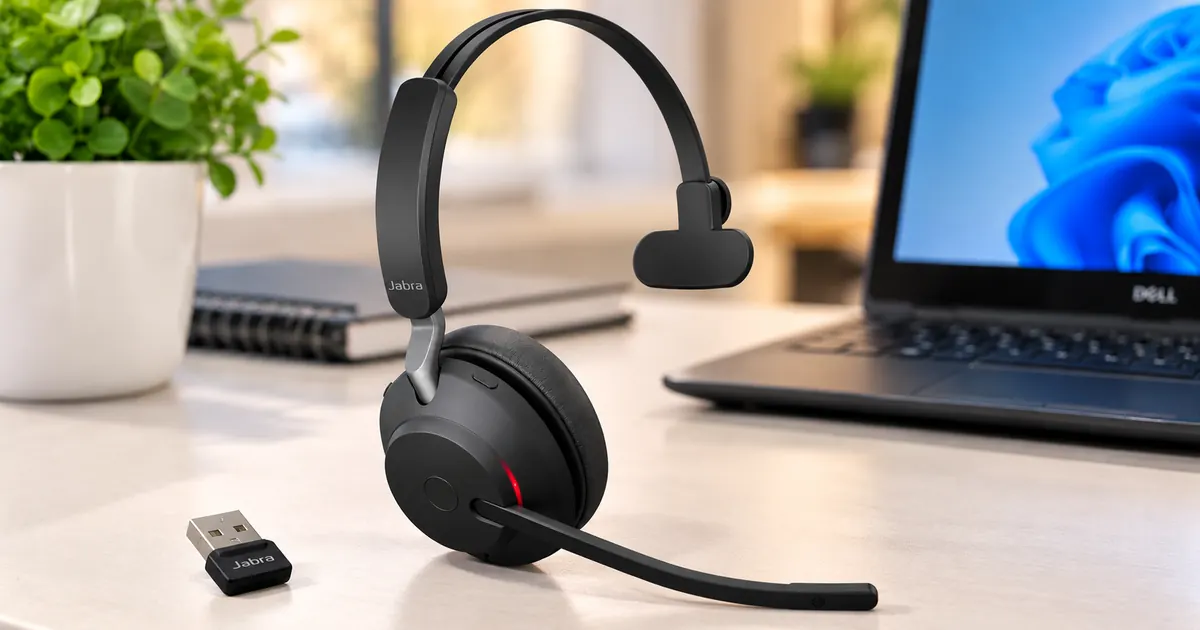
Hands-on owner review: comfort, phone calls, dual-device connectivity, battery life, and voice-based AI workflows.
Affiliate disclosure: As an Amazon Associate, we earn from qualifying purchases. This review reflects an actual owner’s experience; specifications attributed to Jabra are not independent laboratory measurements.
My working day involves conversations with customers, calls from my phone, time at the computer, and increasingly, speaking to AI assistants instead of typing everything. I bought the Jabra Evolve2 65 UC Mono to make those tasks easier. I have been genuinely pleased with the purchase—especially the soft ear cushion, light feel, clear conversations, and the freedom that comes from keeping one ear uncovered.
Unlike a stereo headset, this model is built for people who need to remain aware of the room while communicating. It is not intended to be the ultimate audiophile headset. It is a practical, thoughtfully designed work tool.
Why I Chose the Mono Version
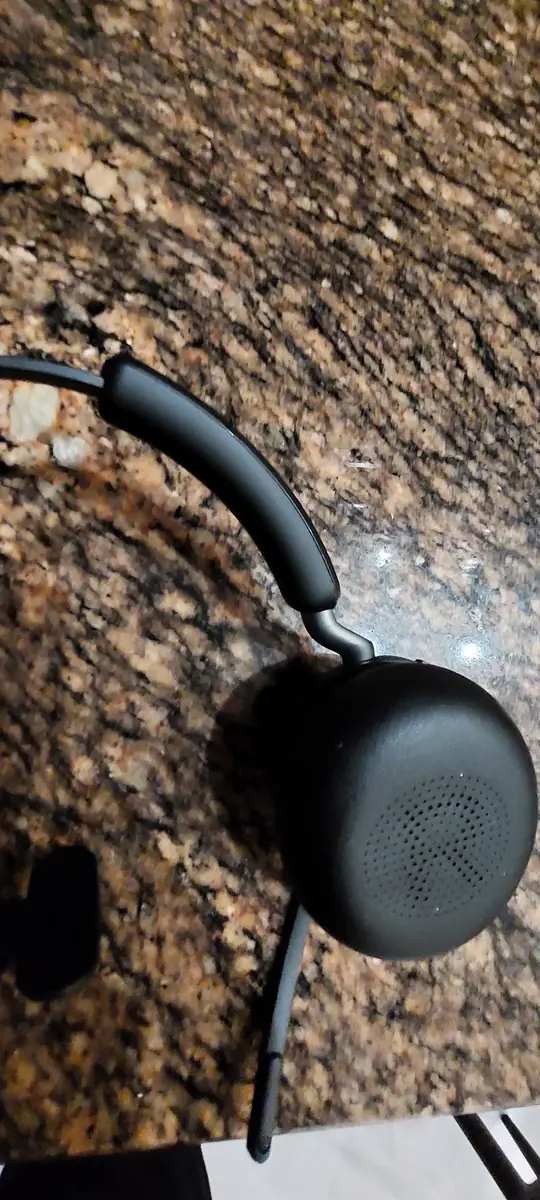
For everyday business calls I do not want to shut out everything happening around me. The single-ear design lets me focus on a client while continuing to hear my surroundings with the other ear. I find that surprisingly valuable in a busy working environment. It is easier to respond to somebody nearby, hear a delivery arrive, or continue with another task without removing both earcups.
The UC version is aimed at Unified Communications workflows. It is distinct from the dedicated Microsoft Teams edition, and compatibility with particular software features depends on the platform and connection method.
Design and First Impressions
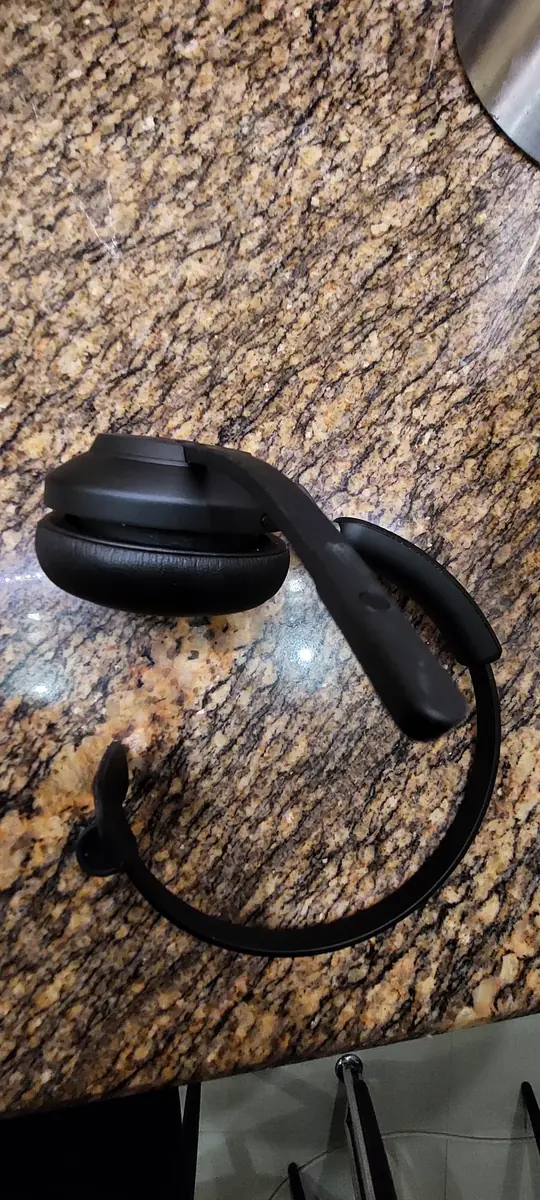
The Evolve2 65 Mono looks professional without being bulky. Its understated black finish, neatly shaped headband, substantial single earcup, and adjustable boom microphone make it feel like equipment designed for work. The metal-colored hinge is a nice detail; the controls are accessible without taking the headset off.
My own photos illustrate the exact unit I purchased. The headset weighs approximately 99.2 grams according to the supplied specifications. Weight alone does not determine comfort, but in daily use this compact design is part of what makes the headset pleasant to wear.
Comfort: My Favorite Everyday Feature
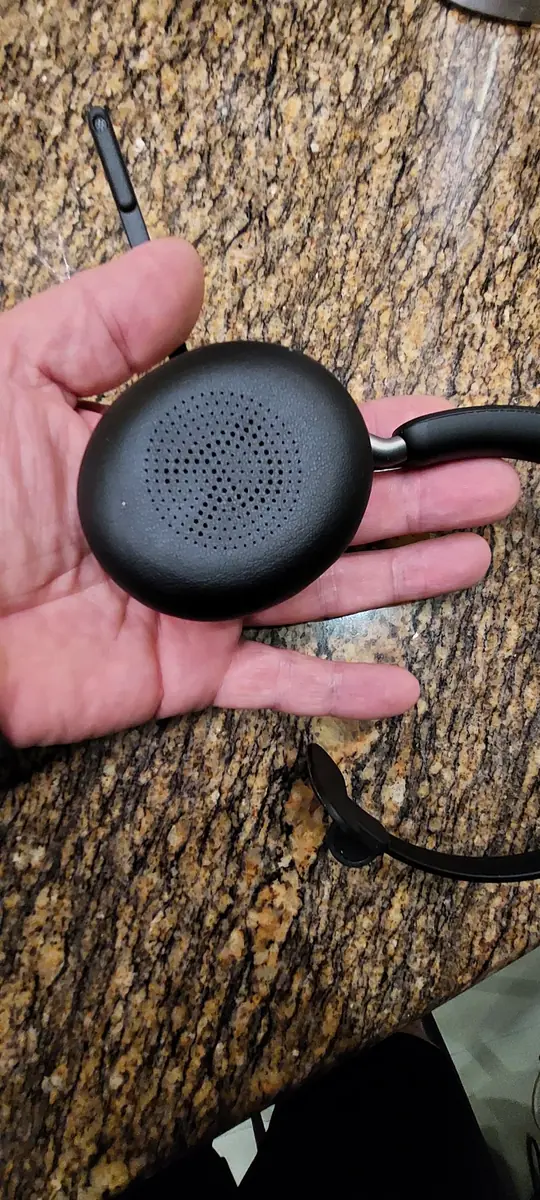
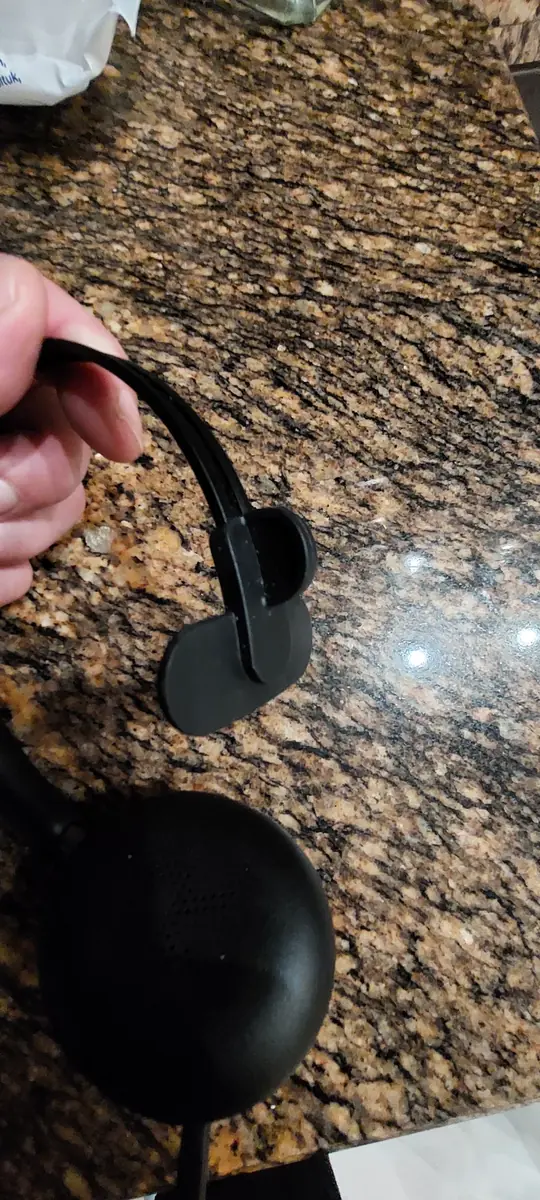
What stood out immediately was the softness of the ear cushion. It rests against my ear comfortably and the headband feels stable. I appreciate that I can put it on repeatedly through the working day without treating it like a large, heavy accessory.
There are limits to any personal comfort assessment: the fit may feel different if you wear glasses, have sensitive ears, or spend many hours wearing it continuously. Still, for my use, the combination of cushioning and single-ear design is a major reason I would recommend it.
Microphone Quality for Customer Conversations
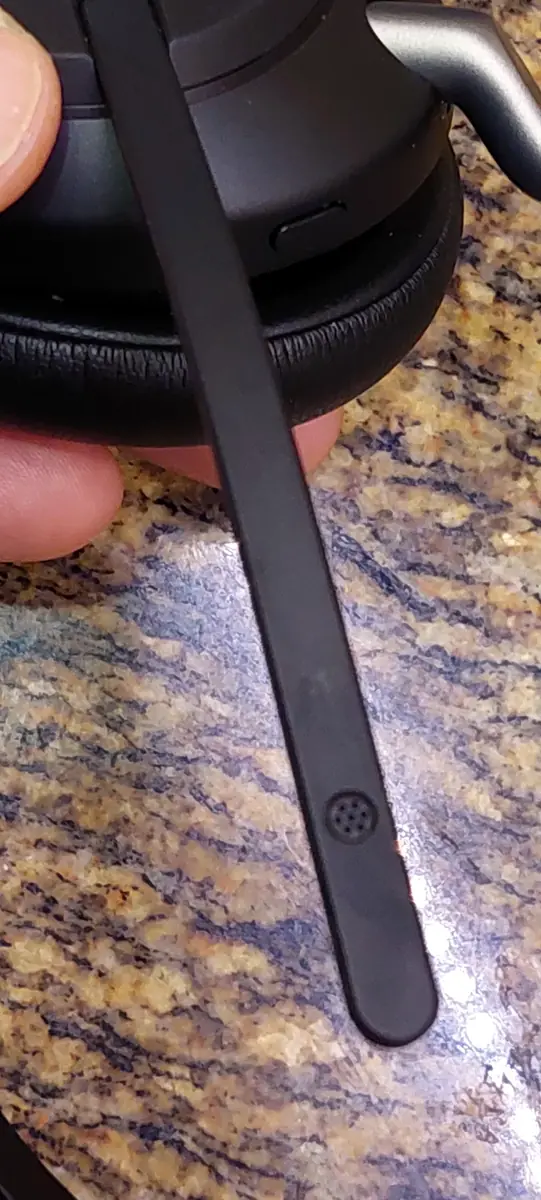

The boom microphone is one of the features I care most about. A beautiful headset is of little use if the person at the other end struggles to hear you. The Evolve2 65 uses a three-microphone MEMS arrangement, with digital signal processing intended to help speech come through clearly.
In my own use, I am very satisfied with the microphone’s performance. The microphone sits close to the mouth, and the boom can be repositioned as needed. Its design is practical for calls and voice instructions. That is my personal assessment, not a claim that I have measured microphone sensitivity or compared its noise rejection in a controlled test.
It is important not to confuse microphone noise handling with active noise cancellation for the ear. This mono model does not offer the kind of ANC listening experience available in some premium over-ear headphones.
Sound Quality: Calls First, Music Second
The manufacturer lists a 40 mm speaker, a 20 Hz–20 kHz music frequency range, and a 100 Hz–8 kHz call frequency range. Those specifications help explain why the headset can handle both speech and regular audio playback, but numbers alone cannot tell you whether a headset sounds pleasing.
For me, spoken words are the priority. Voices sound clear and easy to follow, which is exactly what I need when talking to customers and listening to instructions. I can play music as well, though for immersive stereo music or films I would pick a different type of headset.
Connecting a Phone and Computer

One particularly useful advantage is the ability to connect with two Bluetooth devices at the same time. Jabra also specifies memory for multiple paired devices, which is different from the number that can remain simultaneously connected. This fits my workflow because I want one headset available when I receive a phone call and when I am working at my computer.
The included Jabra USB Bluetooth adapter is useful for a compatible computer connection. The adapter should be left in the USB port during use; it is not a charging accessory. A compatible softphone may allow answering calls or initiating customer conversations from the computer. However, a headset alone does not give a computer an ordinary phone dialer, and call-control functionality depends on the operating system, software, and supported integration.
Simultaneous connection also does not mean you can mix the sound from two unrelated audio sources and hear both at once. The benefit is practical switching and call availability.
Using the Jabra Evolve2 65 Mono with AI Voice Tools
I increasingly prefer speaking prompts aloud rather than typing long questions. Whether I am dictating a draft, explaining a complicated task, or holding a conversation with an AI service, having a microphone close to my mouth makes the process feel more natural. A mono headset is particularly comfortable for this because I can listen to the response while keeping one ear free.
The headset works as an audio input/output device with compatible applications. It does not contain a built-in AI assistant, and voice features depend on the app, browser, microphone permissions, and operating system. Still, if you work with ChatGPT or another voice-enabled tool regularly, a comfortable business headset can make that workflow more convenient.
Battery Life and Charging
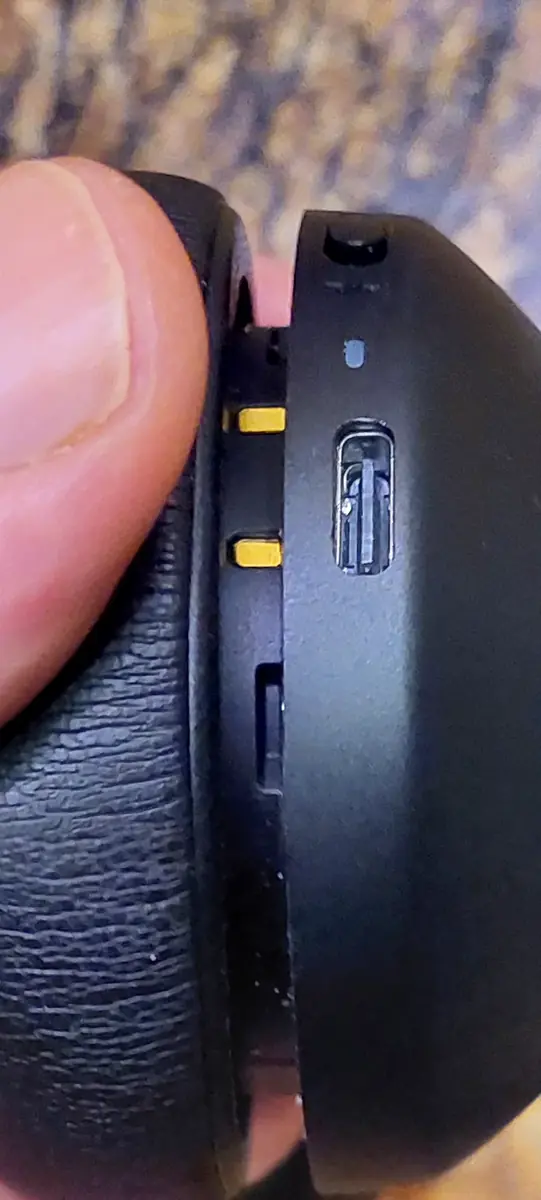
Battery endurance is one of the most appealing specifications. Jabra lists up to 35 hours of talk time with the busylight off and up to 24 hours with the busylight on, with music playback rated up to around 37 hours. The battery is rechargeable over USB-C, and full charging is specified at approximately 90 minutes.
Those are manufacturer-rated figures. Real battery life will vary with volume, Bluetooth conditions, usage patterns, and the status light. I have not completed a controlled continuous-run battery test, so I would not present any specific hour count as my own measurement.
Mono vs. Stereo vs. Earbuds
Mono: My preference for customer calls, office work, situational awareness, and long stretches at the computer. One ear stays uncovered.
Stereo: Better suited to people who prioritize an immersive soundstage, music, or blocking more of the surrounding environment.
Earbuds: Often a more compact choice for commuting and casual use. Depending on the model, though, they may not deliver the same combination of adjustable boom placement, easy-to-reach controls, and all-day office ergonomics.
No one design is universally better. For the work I actually do, mono is exactly the right compromise.
What Could Be Better?
First, this is a work-oriented headset, so people seeking powerful stereo music reproduction should choose a stereo model. Second, the single-ear format naturally provides less acoustic isolation. Third, not every computer calling app will support every headset button or remote call-control function. Finally, although the Evolve2 65 is wireless, it is still a headband headset—not as pocketable as a pair of earbuds.
Those tradeoffs have not changed my overall positive impression because they are not the things I bought it for.
Technical Specifications at a Glance
| Design | Mono, on-ear wireless headset |
|---|---|
| Connection | Bluetooth 5.0; USB Bluetooth adapter; USB-C charging |
| Simultaneously connected devices | Up to 2 |
| Wireless range | Up to 30 m under suitable conditions |
| Driver | 40 mm |
| Microphone | 3 MEMS microphones with boom arm |
| Music frequency response | 20–20,000 Hz |
| Call frequency response | 100–8,000 Hz |
| Talk time | Up to 35 hours (busylight off); 24 hours (on) |
| Full charge | Approximately 90 minutes |
| Weight | Approximately 99.2 g |
Rated specifications are based on manufacturer documentation; conditions and exact package contents can vary by SKU.
Frequently Asked Questions
Can I use it with both a phone and a computer?
Yes. It supports two simultaneous Bluetooth connections, although app-specific call handling depends on the software.
Is it suitable for speaking to ChatGPT?
Yes, as a microphone and headset for compatible voice-enabled apps. The AI features are provided by the software, not by the headset itself.
Does it have active noise cancellation?
No ANC for the listening ear. Microphone voice processing and passive fit are separate features.
Is the Mono version good for music?
It plays music, but stereo headphones make more sense if immersive music listening is the top priority.
Final Verdict: A Purchase I’m Glad I Made
I am very happy with the Jabra Evolve2 65 UC Mono. The comfortable cushion, professional design, microphone performance, practical battery specifications, and phone-plus-computer connectivity combine into a headset that fits my day-to-day work. Most importantly, leaving one ear free feels natural and useful.
If your work involves customers, calls, computer meetings, and spoken AI prompts, I believe it deserves a place on your shortlist. Check your computer’s communication-app compatibility and the exact UC package before ordering.
Check the Jabra Evolve2 65 UC Mono on Amazon (affiliate link; verify model and seller on the product page before purchasing).
Technical reference: Jabra Evolve2 65 official product information.